Most writing about building with AI assumes a blank page. Most real work does not have one. You have a product, customers, a codebase with history, and a roadmap. The question is not "how do I build an AI app," it is "how do I add AI to the thing I already run, without breaking it or rewriting it."
That is a different, more constrained, and frankly more useful problem. Here is how we approach it.
Start where the value is obvious and the blast radius is small
The best first AI feature is one where the upside is clear and a wrong answer is cheap. Drafting, summarizing, classifying, and search are good early candidates because a human stays in the loop and reviews the output. Anything that takes an irreversible action on its own should come later, after you trust the system.
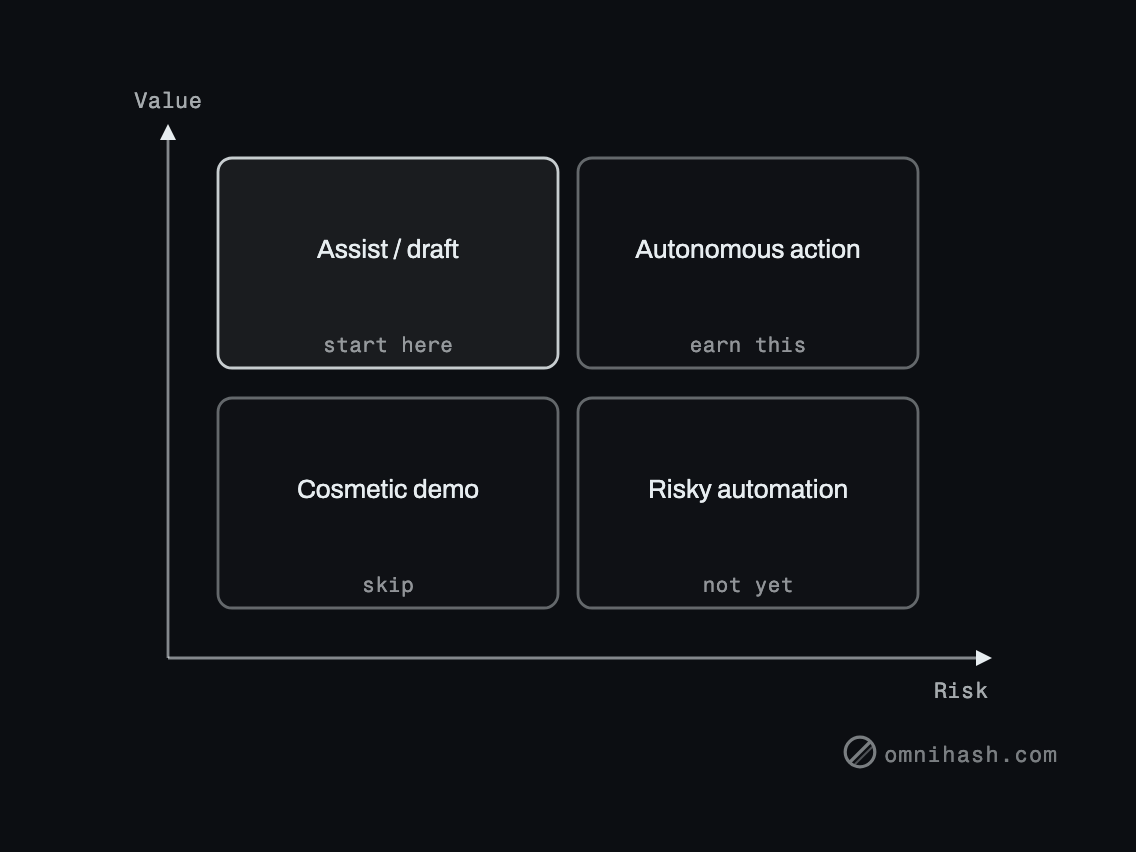 Figure 1. Pick a first feature in the high-value, low-risk quadrant. Let trust, not enthusiasm, move you rightward.
Treat the AI as a service behind your own boundary
The most important architectural decision is to put the model behind an interface you own, rather than scattering provider calls through your code.
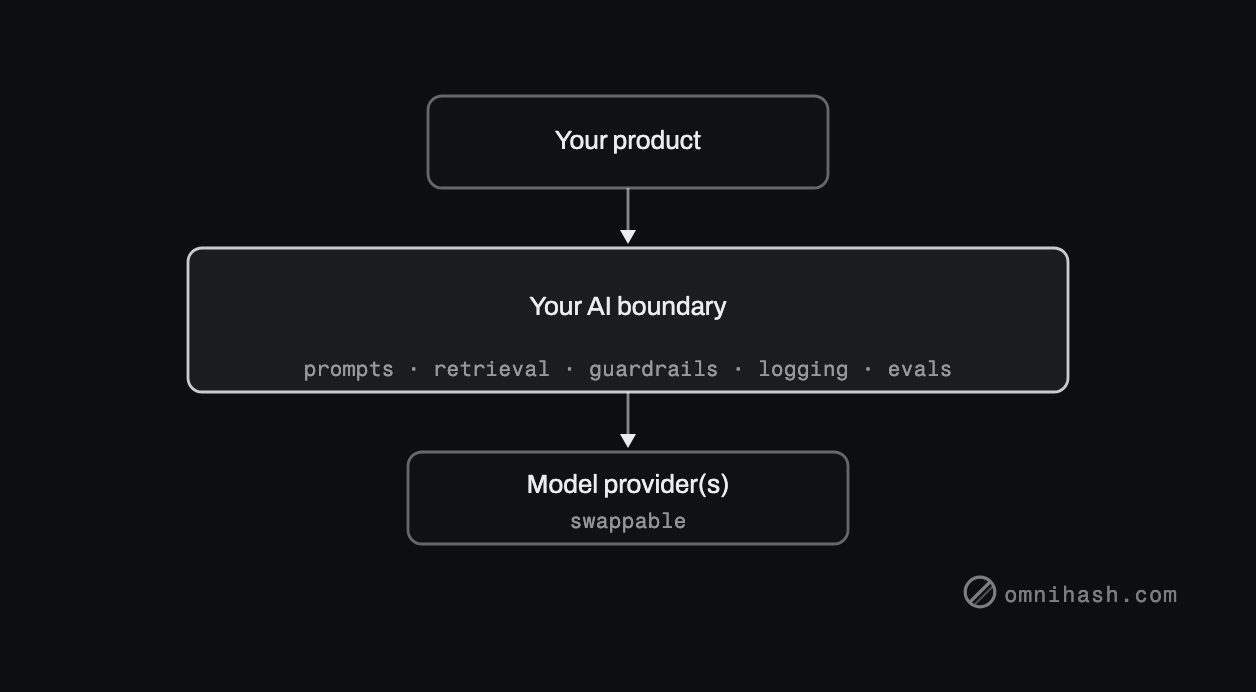 Figure 2. A single internal boundary keeps provider details, prompts, and guardrails in one place, and lets you swap or add models without touching the product.
This one move buys you a lot:
- You can switch providers or run several without a product change.
- Prompts, retrieval, and guardrails live in one reviewable place.
- You get logging and evaluation at the boundary, which is the only way to improve safely.
The integration patterns that are safe
| Pattern | What it adds | Why it is safe to start with |
|---|---|---|
| Assist or draft | AI proposes, a human approves | Human review catches errors before they ship |
| Retrieval over your data | Answers grounded in your content | Citations make output verifiable |
| Classify or route | Tags, triage, prioritization | Wrong labels are cheap and easy to correct |
| Background enrichment | AI fills fields, suggests, summarizes | Runs off the critical path, no user blocked |
The failure modes to avoid
- Scattering provider calls everywhere. It feels fast on day one and becomes a migration project on day ninety. Use the boundary.
- Skipping evaluation. If you cannot measure quality on real inputs, every change is a guess. Build a small eval set before you tune anything.
- Letting it act without grounding. If the system cannot point to why it said something, neither users nor your support team can trust it.
- Ignoring latency and cost. A feature that is correct but slow or expensive per call will not survive real traffic. Measure both early.
Adding AI to an existing product is mostly an integration and trust problem, not a modeling problem. The model is the easy part. The boundary, the data, and the evaluation are the work.
A realistic first increment
Pick one assist-style feature. Put it behind an internal AI boundary. Ground it in your own data with citations. Log inputs and outputs and score them against a small eval set. Ship it to a slice of users. You now have a safe pattern you can repeat for every feature after it, instead of a pile of one-off provider calls.
If you have a product and a feature in mind, we can usually map the smallest safe increment in a single conversation.